
iPhone 360° HDRI OpenEXR
Make your own HDRIs with an iPhone.
Capture the light of a real place as a measured 32-bit OpenEXR, then drop it into Blender’s World as an Environment Texture. No rig, no desktop.

Free · 2 renders included · iOS 17+
Works with Blender · Unreal · Nuke · Houdini · Cinema 4D
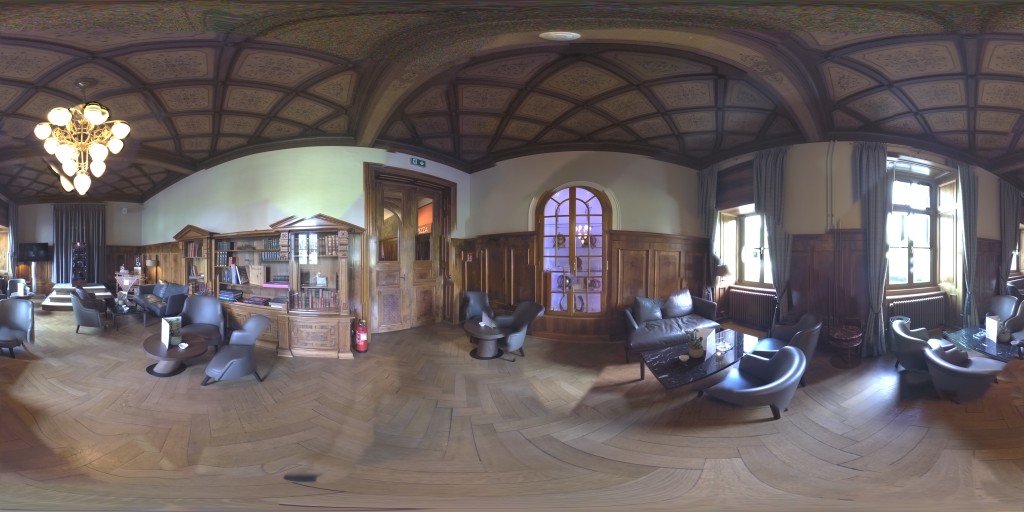
- Dimensions
- 4096 × 2048
- File size
- 82.9 MB
- Type
- OpenEXR · 32-bit float
How it works
Capture an HDRI in three steps.
- Follow the dots Aim at 26 guided points. Each fires a bracketed RAW burst.
- Merge and stitch Brackets merge into HDR and stitch into one 360° panorama.
- Export the EXR A linear 32-bit OpenEXR in 4K or 8K. Nothing painted in.
- Peak Y
- 53.6
- Mean Y
- 0.431
- Range
- 7.0 EV
Example readout from a real capture. The app measures every panorama.
Pricing
Free to start. Pay per render.
Capturing, your library and viewing EXRs are always free. You pay only when the server renders a capture.
Needs an iPhone with a RAW-capable ultra-wide camera
-
Free2 starter renders, no account
$0
-
Pro Recommended20 render credits every month · complete RAW set export
$19.99per month
-
4K render4096 × 2048 · 1 credit
$2.99one-time
-
8K render8192 × 4096 · 4 credits
$7.99one-time
A 4K render uses 1 credit, an 8K render uses 4. U.S. prices; Apple localizes them by region.