
How to capture an HDRI with an iPhone
Updated
To make an HDRI you photograph the whole sphere around one point at several exposures, merge them into high dynamic range and stitch a 2:1 equirectangular 32-bit EXR. With HDRI Studio your iPhone does this handheld: follow the dots and get a 4K or 8K .exr back.
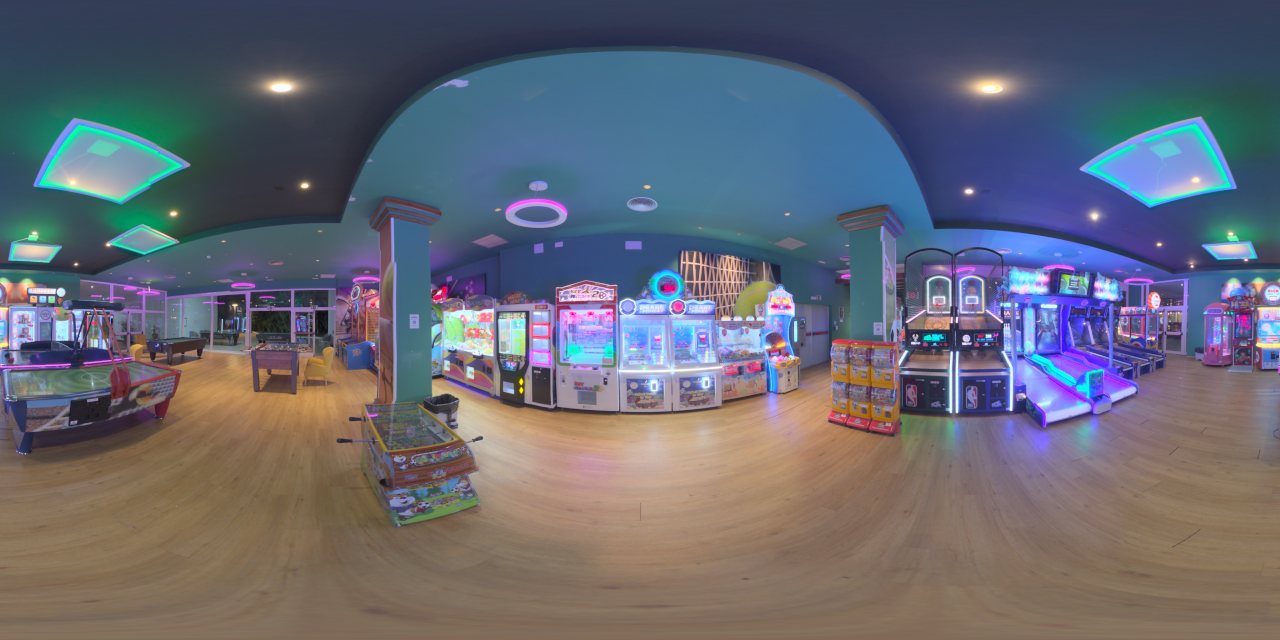
What you need
- An iPhone on iOS 17 or later whose ultra-wide camera can capture RAW.
- The free HDRI Studio app, and internet for the render.
- A few minutes. No tripod, chrome ball or 360 camera.
Step by step
- Pick the spot. Stand about 1.5 m from the nearest object, in a still scene: people, pets, curtains and fast clouds can ghost. The spot you stand on is where your 3D object will appear to sit.
- Choose the exposure range. Low shoots 5 RAW brackets over 4 stops, Medium 7 over 6, and High 8 over 8. Use High for direct sun or bright windows.
- Choose the dots. 18 is the default and suits open spaces. Use 26 in tight spaces.
- Follow the dots. Hold still on each dot until it's taken; dim light takes longer. Turn your body around the phone, keep it at chest height and tilt it up and down instead of raising or lowering it.
- Take the ground photo. At the end, take two steps back, face where you stood and tap Ready. This one floor shot helps remove your feet from the floor. Your feet can show in this photo, and you can skip it.
- Render it. Pick 4K (1 credit) or 8K (4 credits); your first 2 credits are free. The service merges the brackets, corrects the ultra-wide lens and stitches the sphere. Allow about 20 to 30 minutes for upload and render at 4K. It keeps going in the background, and the app tells you when it's ready.
- Export the EXR. Save the .exr to Files, AirDrop it to your computer or share it to any app. Load it as an environment or world texture in Blender, Unreal Engine, Nuke, Houdini, Cinema 4D or Maya.
Tips for a clean result
- Distance beats everything. A handheld phone moves a little between shots, which shows as small seams on close objects. Things 1.5 m or more away stitch cleanly. In a tight space, use 26 dots.
- Brace and breathe out while each dot shoots. Blur can't be fixed later.
- Outdoors, pick calm skies. Clouds that move during the capture can look patchy.
What you get
An RGB 32-bit float OpenEXR in exact 2:1 equirectangular layout, scene-linear Rec.709, at 4096 × 2048 or 8192 × 4096. In the app you can look around it, change the preview exposure from −4 to +6 EV and read its peak and mean brightness.
Next: use it in Blender or Unreal Engine.
Questions
Can you make an HDRI with just a phone?
Yes. An HDRI needs the full sphere shot at several exposures from one point. An iPhone can do that handheld with a guided app such as HDRI Studio, which shoots RAW brackets at 18 or 26 positions and returns a 32-bit OpenEXR 360° panorama. No chrome ball, 360 camera or tripod head is needed.
Should I use 18 or 26 dots?
Use 18, the default, in open spaces. Use 26 in tight spaces, where close objects need more overlap.
What is the ground photo for?
It helps remove your feet from the floor. At the end of the capture you step back and shoot the floor where you stood, and the render uses that shot for the floor under you. You can skip it.
Is a normal 360° photo or Photo Sphere an HDRI?
No. A normal panorama is an 8-bit image with clipped highlights, so lamps, windows and the sky all become flat white and the light they cast is lost. An HDRI stores the real brightness of every direction in 32-bit floating point, which is what makes it light a 3D scene correctly.
Which iPhones work?
HDRI Studio needs iOS 17 or later and an iPhone whose ultra-wide camera can capture RAW.
Does it work on Android?
HDRI Studio is iPhone-only.
How big is the result?
4K is 4096 × 2048 and 8K is 8192 × 4096, both exact 2:1 equirectangular, RGB 32-bit float OpenEXR with PIZ compression. A 4K arcade capture is about 78 MB.
Is the sun captured at full strength?
A phone can't expose the sun directly, so even the shortest bracket clips it. When your own shadow is clear on the ground in direct sun, the render measures the missing energy from that shadow and restores the sun. Without a clear shadow the sun stays weaker than in reality, so add a sun lamp in your 3D app aimed the same way.